# MSTEP
# How to Complete the DRC Readiness Check
**This article will show how to complete the DRC Readiness Check. This will need to be completed on all Chromebook's before MSTEP testing. If a device fails the readiness check, please submit a Helpdesk ticket.**
1. Have the student(s) sign out of their Chromebook and return to the login screen.
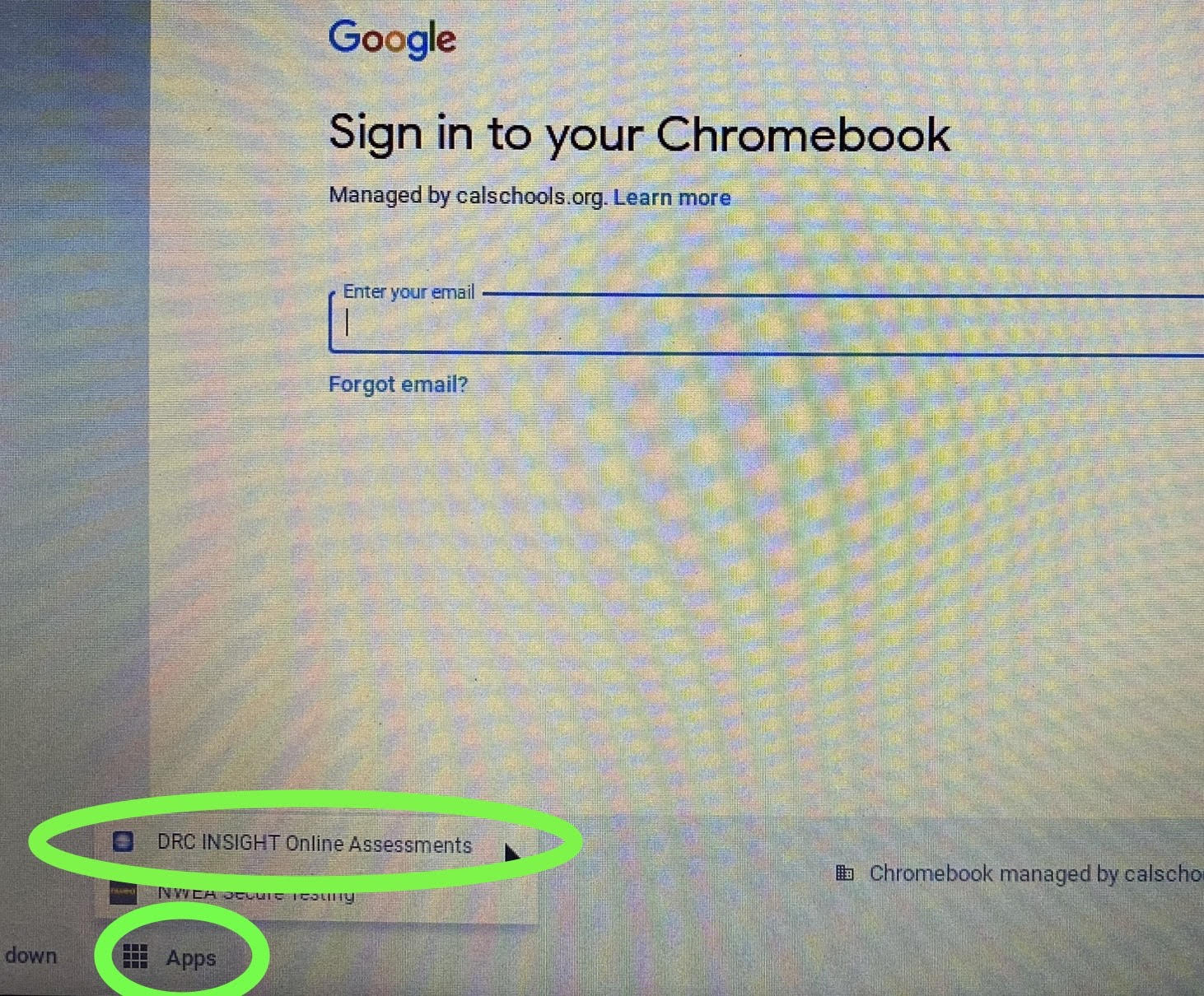
2. In the bottom left-hand corner, you will see an "Apps" button.
3. Click on "Apps" and then proceed to launch "DRC Insight Online Assessments"
[](https://ccskb.calschools.org/uploads/images/gallery/2023-03/apps.jpg)
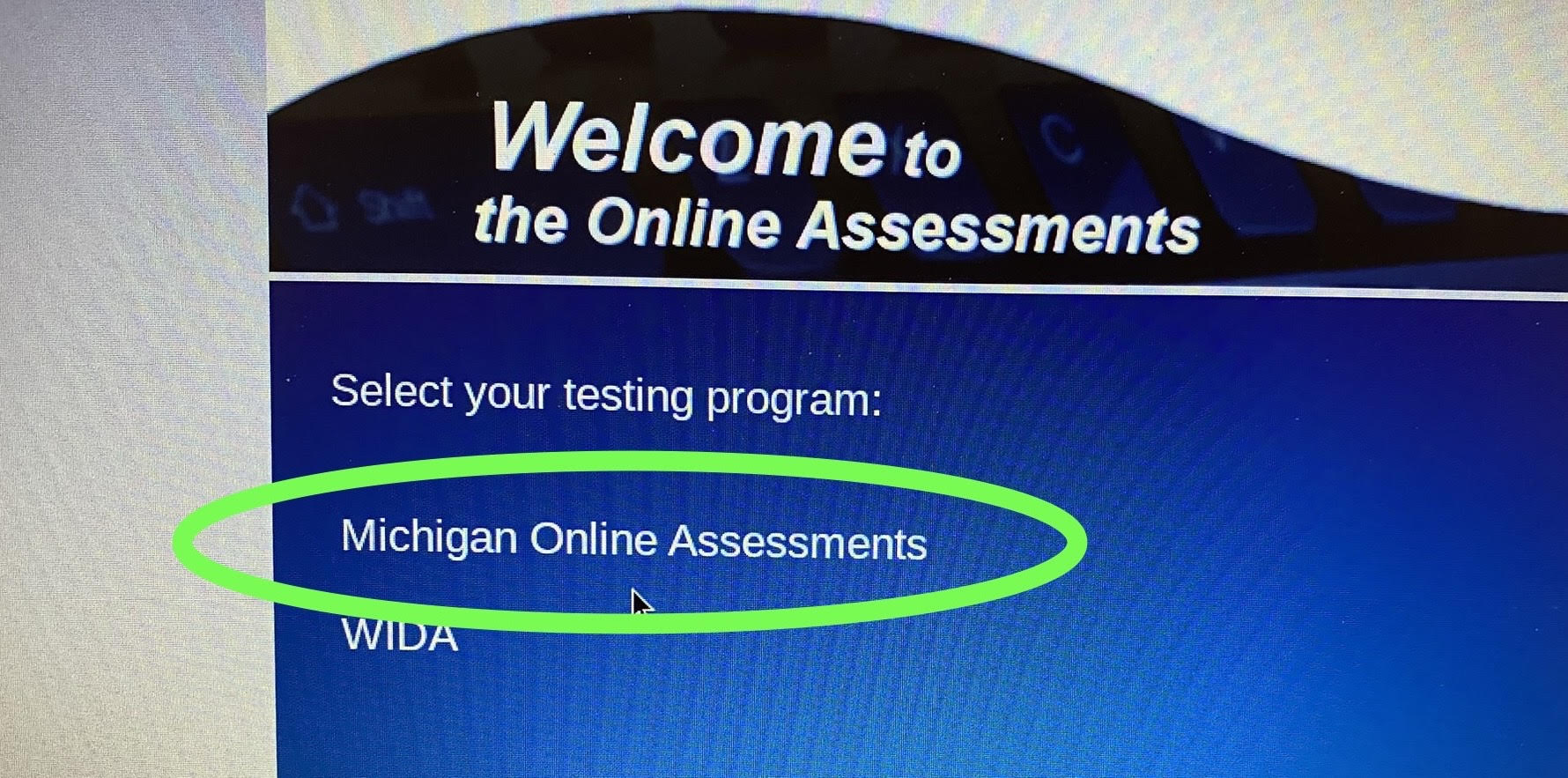
4. Launch "Michigan Online Assessments"
[](https://ccskb.calschools.org/uploads/images/gallery/2023-03/mstep.jpg)
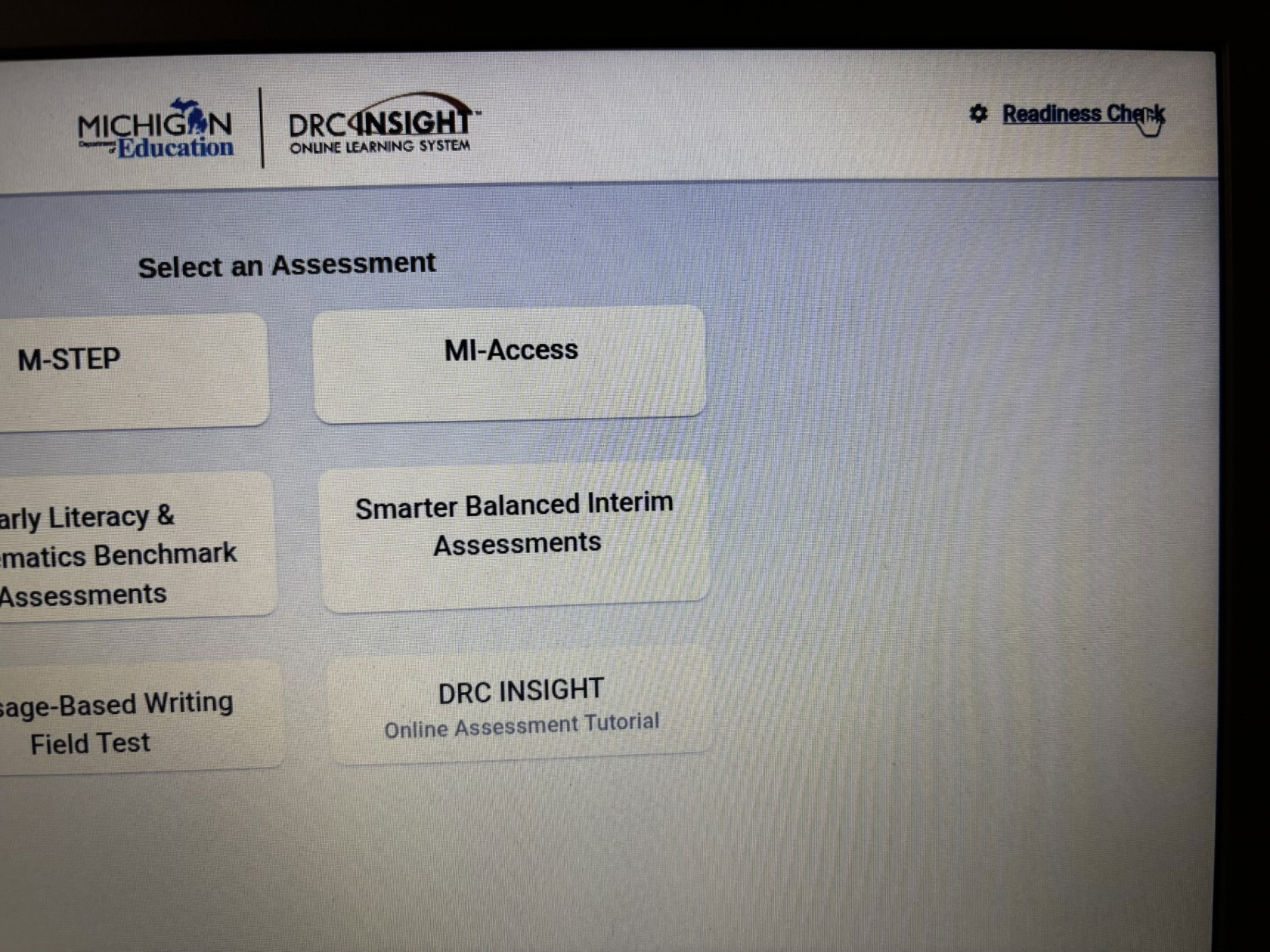
5. Within that window, click "Readiness Check" at the top right
[](https://ccskb.calschools.org/uploads/images/gallery/2026-03/img-2081.jpeg)
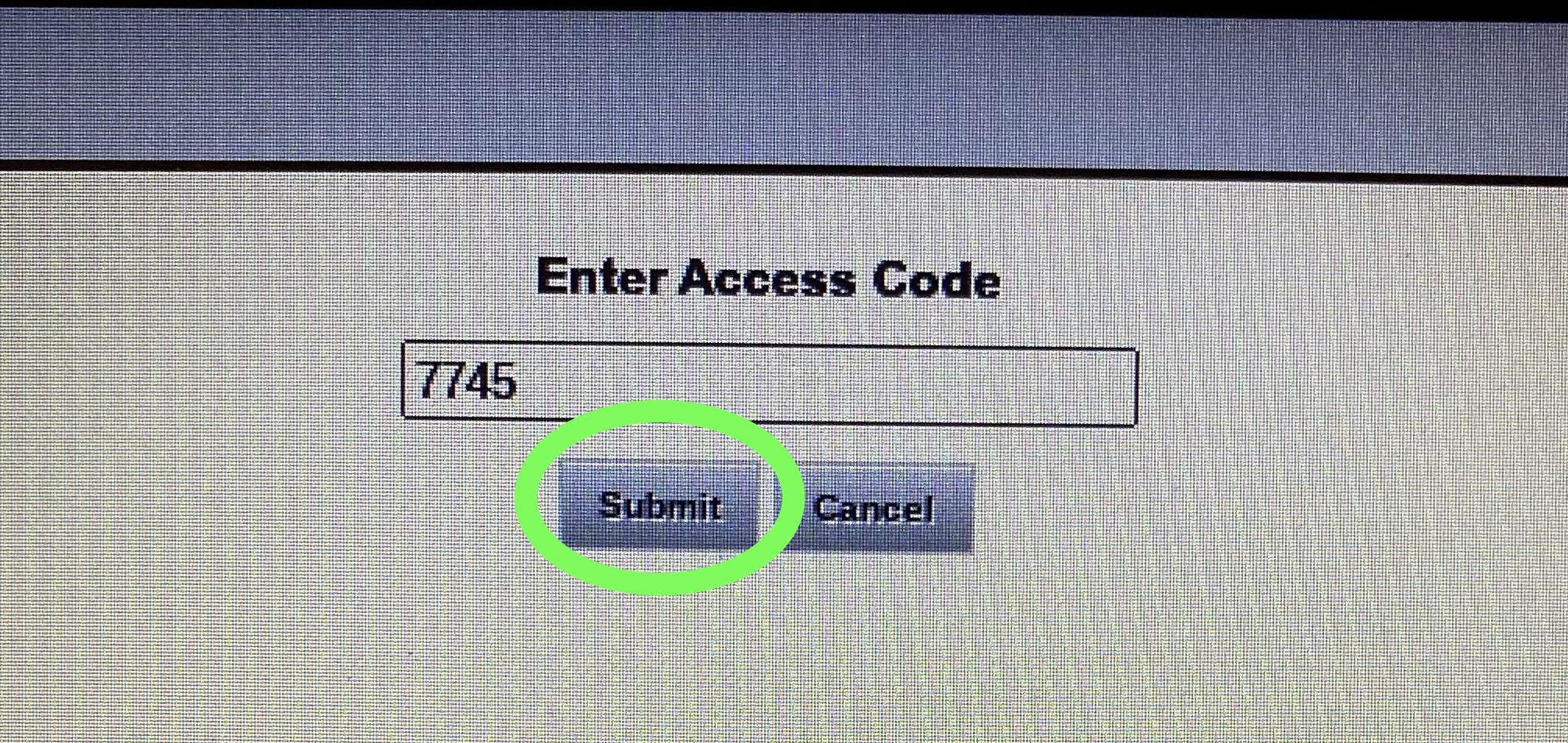
6. Enter in the readiness check code: The code is **7745**
**[](https://ccskb.calschools.org/uploads/images/gallery/2023-03/code.jpg)**
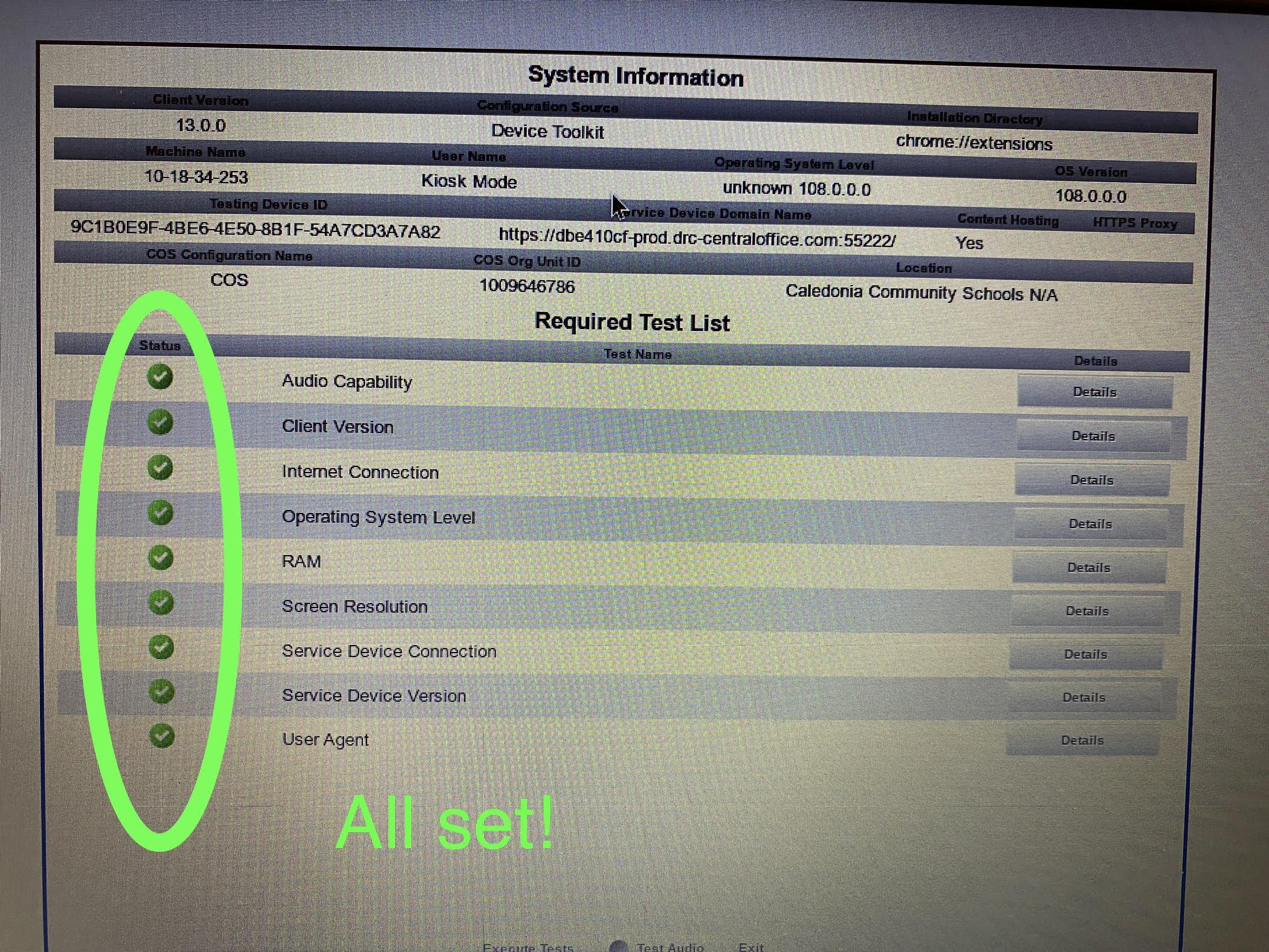
7. After the readiness check completes, you should see **ALL** green status check marks. If you see any red check marks, sit that
device aside and please put in a Helpdesk ticket.
[](https://ccskb.calschools.org/uploads/images/gallery/2023-03/results.jpg)