How To Remove Assessed Fees After The ChromeCare Purchasing Window Has Closed.
After the purchasing window has closed the unpaid assessed fees will need to be removed from student accounts.
If ChromeCare Plan fees are not removed then parents will be able to pay for ChromeCare until the assigned fees have been updated.
- Login to PowerSchool
- Select District Office (top right)
- Enable Mass Update/Delete Fees in Student Fees plugin configuration
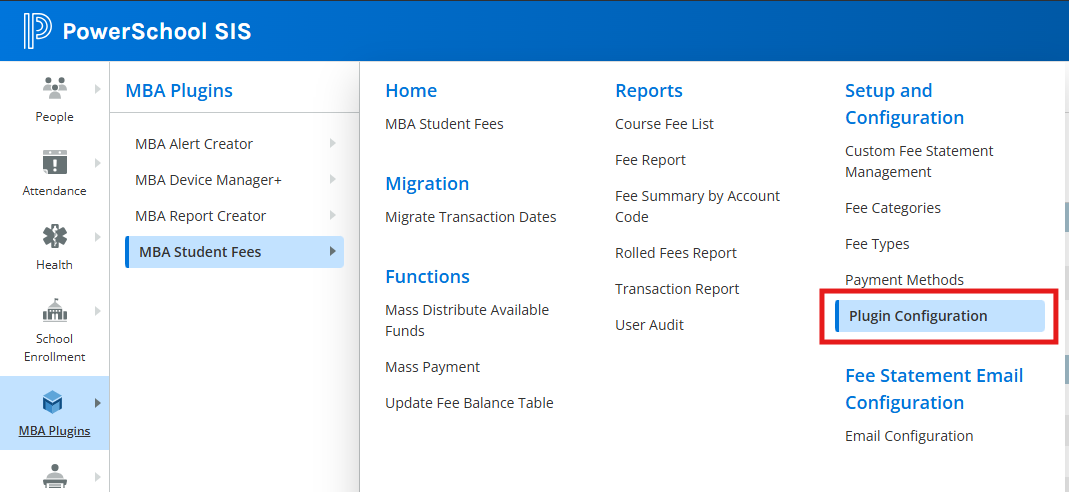

Repeat the following steps for each school building:
1. Identify students with unpaid ChromeCare Insurance Plan fees & delete the unpaid assessed fees
- Select the school (top right)
- MBA Plugin (left side)
- MBA Student Fees
- Fee Report (Under Reports)
- Fee Type select ChromeCare Plan (drop down window)
- Paid amount = 0 (make sure to click the = sign in the drop down)
- Click on the Generate Report button
- Click on the Make These Students the Current Selection button at the bottom of the page
- Return to the Start Page to confirm your selection
- MBA Plugin (left side)
- MBA Student Fees
- Functions
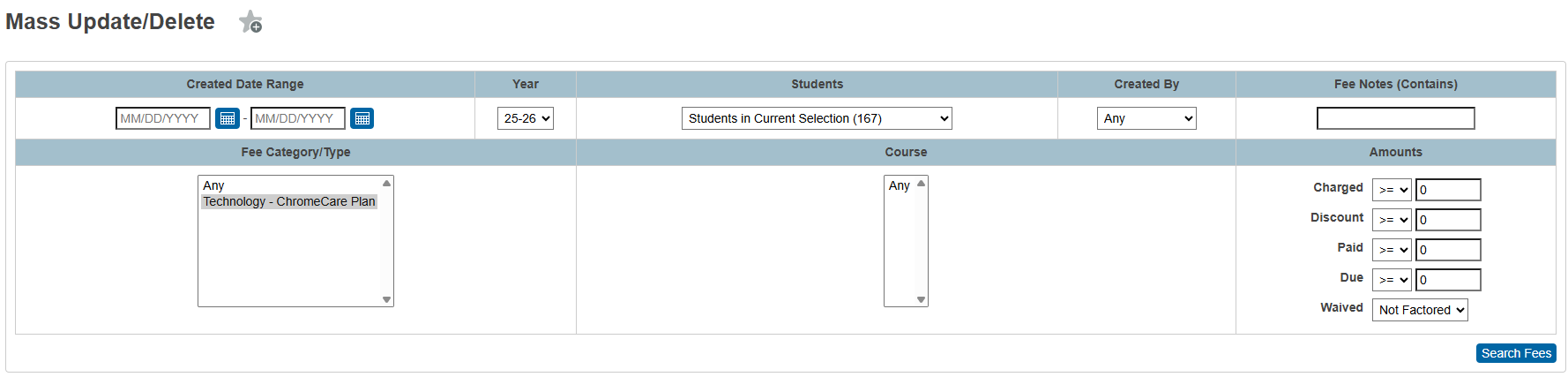
- Mass Update/Delete
- Under Fee Type/Category select Technology - ChromeCare Plan
- Under Students set the dropdown to Students in Current Selection
- Under Amounts set Paid = 0
- Click on the Search Fees button
- Click on the Delete Fees button (bottom right)
-

Once all buildings have been updated then disable Mass Update/Delete Fees in Student Fees plugin
Note: You will need to manually assess fees and apply the insurance plan for students purchasing insurance after the ChromeCare Plan window has closed and unpaid assessed fees have been deleted.