# How To Remove Assessed Fees After The ChromeCare Purchasing Window Has Closed.
After the purchasing window has closed the unpaid assessed fees will need to be removed from student accounts.
**If ChromeCare Plan fees are not removed then parents will be able to pay for ChromeCare until the assigned fees have been updated.**
- Login to PowerSchool
- Select District Office (top right)
- Enable **Mass Update/Delete Fees** in Student Fees plugin configuration
[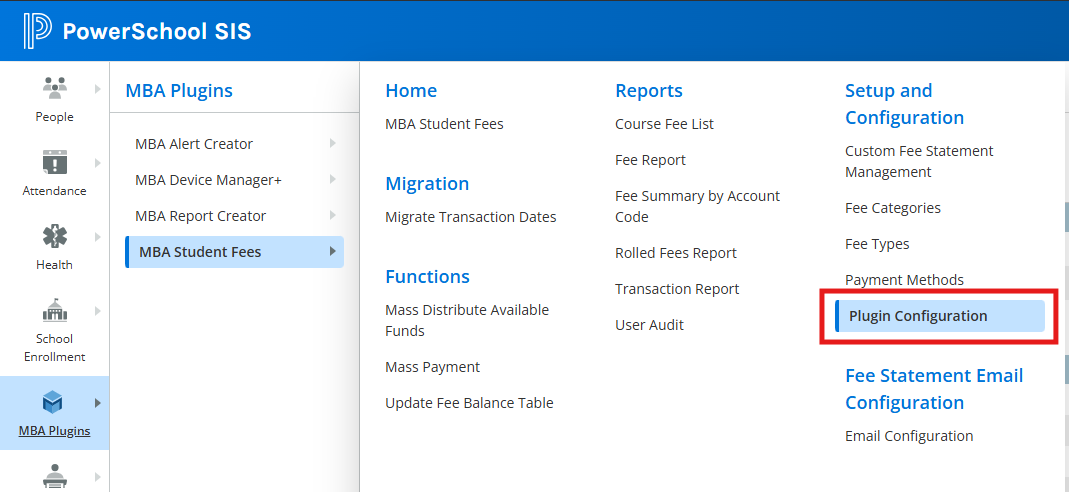](https://ccskb.calschools.org/uploads/images/gallery/2025-10/image-1761576600439.png)
[](https://ccskb.calschools.org/uploads/images/gallery/2025-10/image-1761589005697.png)
**Repeat the following steps for each school building:**
**1. Identify students with unpaid ChromeCare Insurance Plan fees & delete the unpaid assessed fees**
- Select the school (top right)
- MBA Plugin (left side)
- MBA Student Fees
- Fee Report (Under Reports)
- Fee Type select ChromeCare Plan (drop down window)
- Paid amount = 0 (make sure to click the = sign in the drop down)
- Click on the Generate Report button
- Click on the Make These Students the Current Selection button at the bottom of the page
- Return to the Start Page to confirm your selection
- MBA Plugin (left side)
- MBA Student Fees
- Functions
- Mass Update/Delete
- Under Fee Type/Category select Technology - ChromeCare Plan
- Under Students set the dropdown to Students in Current Selection
- Under Amounts set Paid = 0
- Click on the Search Fees button
- Click on the Delete Fees button (bottom right)
- [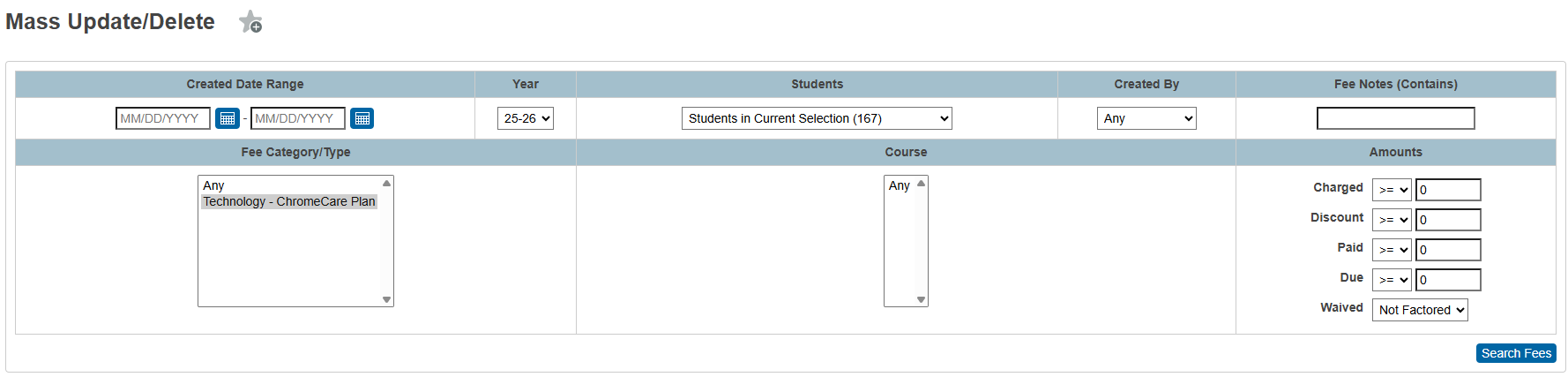](https://ccskb.calschools.org/uploads/images/gallery/2025-10/image-1761584119946.png)
Once all buildings have been updated then disable **Mass Update/Delete Fees** in Student Fees plugin
Note: You will need to manually assess fees and apply the insurance plan for students purchasing insurance after the ChromeCare Plan window has closed and unpaid assessed fees have been deleted.